
I know from experience it can be difficult to build a consistent LinkedIn habit.
In the past two years, since I’ve had a LinkedIn strategy in place, I tend to be great about posting for a couple of weeks or even a couple of months. Then life gets demanding, or my project list gets a little overfull… and suddenly, I realize it’s been several weeks since I posted anything or even visited LinkedIn.
But even though I still have these less-than-stellar moments, my consistency has gotten better.
Two things have helped…
The first is accepting that I’m not going to be perfect. My LinkedIn presence is a work in progress. I know it’s beneficial to show up, to post, and to interact every day. But when I falter in that goal, I just come back and pick up where I left off… rather than giving up or being hard on myself.
The second is that strategy I mentioned.
And that’s what I want to talk to you about today.
First, let’s look briefly at why you want to be on LinkedIn in the first place. How does it benefit you as a freelance digital copywriter?
Why Put Time Into LinkedIn?
Understanding how LinkedIn can help grow your copywriting business is essential to your strategy. If you can’t clearly see the benefit of being on LinkedIn, it’s unlikely you’re going to keep showing up… because it does take time.
So, let’s look at a few of the benefits of being on LinkedIn…
#1:It can bring in new leads and clients. LinkedIn gives you the opportunity to connect with people who fit your ideal client profile. You can then deepen the connection through comments and direct messages. And in some cases, that will result in new clients for you.
#2:You can keep up with changing trends. One of the beautiful and challenging things about digital marketing is that it changes. Often. On LinkedIn, you can see what other people in your industry are learning and doing and trying. And that can inform how you sharpen your own skills, approach projects, and shift your positioning.
#3:It can open the door to new income streams. I have landed clients on LinkedIn, yes. But it’s also led to things like podcast appearances, referrals, and new service launches.
And I’m not the only one…
Renee Lynn Frojo talks about her LinkedIn journey, where she published every business day for a year: “The writing helped me figure out myself and my business. And the visibility helped 1:1 clients find me, fill cohorts, and get booked for speaking gigs. It even led to a handful of job offers that I wasn’t interested in pursuing because the thing was working so well.”
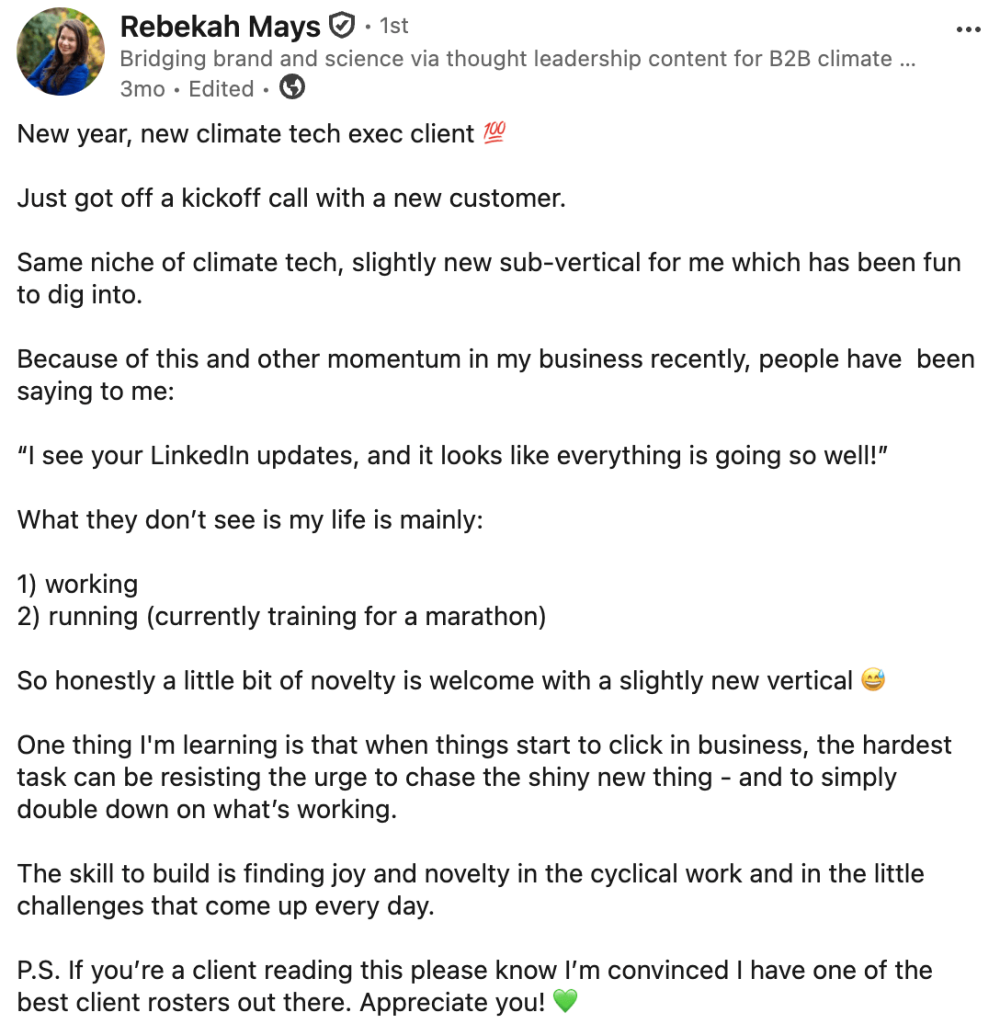
And Rebekah Mays shared this recently about new clients, LinkedIn, and life in general…
When you grow your following on LinkedIn, you get to establish your authority, demonstrate your expertise, do audience and market research, hone your skills, and help other people… all in one place.
It can definitely be good for business.
Now, let’s dig into how you make it good for your business.
But How Often Do I Need to Post, Really?
Let’s start there… it’s a question a lot of writers struggle with.
It’s easy to get the impression that the only way to experience success on LinkedIn is to publish every day. And yes, you can build an audience and see a lot of good things happen from a daily habit.
But you can also make a lot of connections, land clients, and increase your online visibility by posting a couple of times a week… or even once a week.
How often you post depends on how often you want to post. Posting once a week is better than not posting at all because you’re convinced it’s not worth doing unless you post daily.
So, take a little pressure off yourself. What feels manageable to you right now?
Valid answers include:
- Every day.
- Three times a week.
- Two times a week.
- Once a week.
- One to three times a week.
- At least once every other week.
Right now, it’s all about getting started and building a consistent habit.
What Should I Say on LinkedIn?
Now we’re getting into the meat and potatoes of your LinkedIn strategy…
And probably the real reason why you’ve struggled to get started so far.
Tell me, are any of these playing on repeat in your head?
- “I don’t know what to say.”
- “I feel like it’s a waste of time.”
- “I’m afraid of what people will think.”
- “I know I should post, but I don’t know where to start.”
Start With Your Focus
Maintaining a tight topical focus on LinkedIn is important.
It helps people to understand clearly what you do. When that happens, they’re more likely to approach you for your services or to refer you to others.
It also helps the algorithm to understand what you’re all about, and that makes it easier for it to get your posts in front of people who are generally interested.
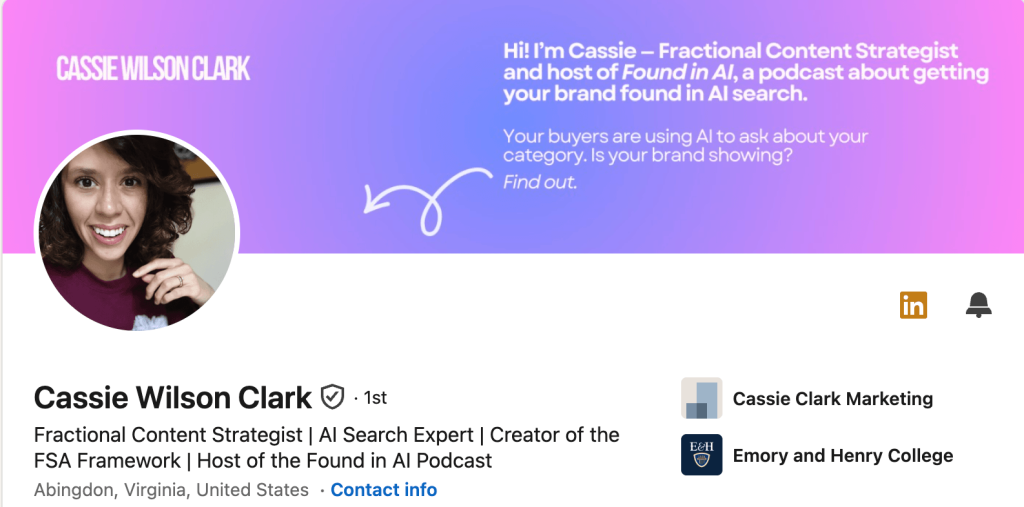
Take Cassie Wilson Clark, for example. She positions herself as fractional content strategist and AI search expert. Most of her posts are about — you guessed it — AI search and how content strategy is changing.
Think about who you serve and how you best like to serve them. Do you like to write websites for engineering companies? Do you like to write email newsletters for health and wellness companies? Do you like to create social media posts for fashion brands?
Whatever you most like to do, that’s where to start.
Next, think about the three biggest subtopics that relate to your main topic
So, for example, if I like to write user-experience, optimized content for growth-ecommerce companies, my three big subtopics are going to be something like:
- How user experience applies to content marketing.
- The types of content growth-ecommerce companies need most.
- How content marketing is changing because of AI.
All right, you’ve got your main topics down — good work!
Now, set those aside for a moment, and let’s talk about post approaches.
Post “Templates”
There’s no single “right” way to write a LinkedIn post. But, there are some approaches that are proven to work. And you can add these to your tool box to make writing posts easier… especially when you’re feeling unsure what to say.
The Quick, Distilled Insight
This is a short post with a pithy insight that’s useful to your audience.
Usually, it’s somewhere in the neighborhood of a long tweet in terms of length. And it focuses on a single idea framed through your unique lens.
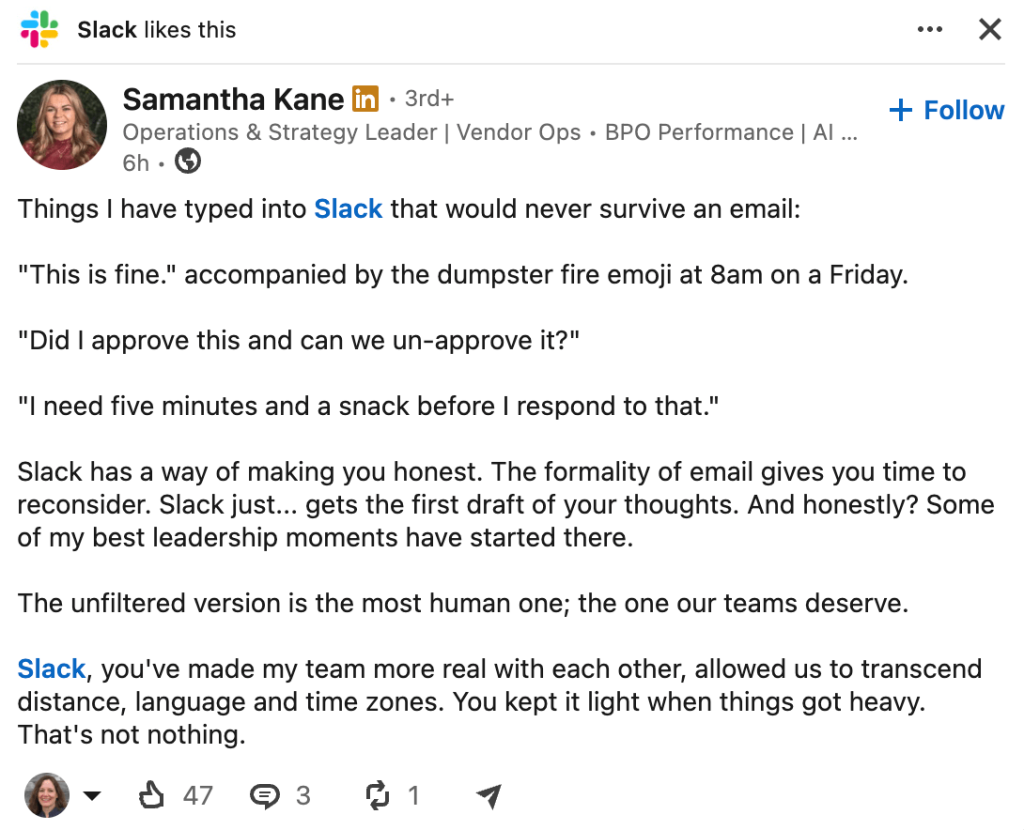
For example, this post gives a quick and humorous take on how Slack can improve leadership…
Story + Insight
These posts are very popular on LinkedIn. You share a story from (work or personal) and then link it to an insight or several insights that relate to one of your main topics.
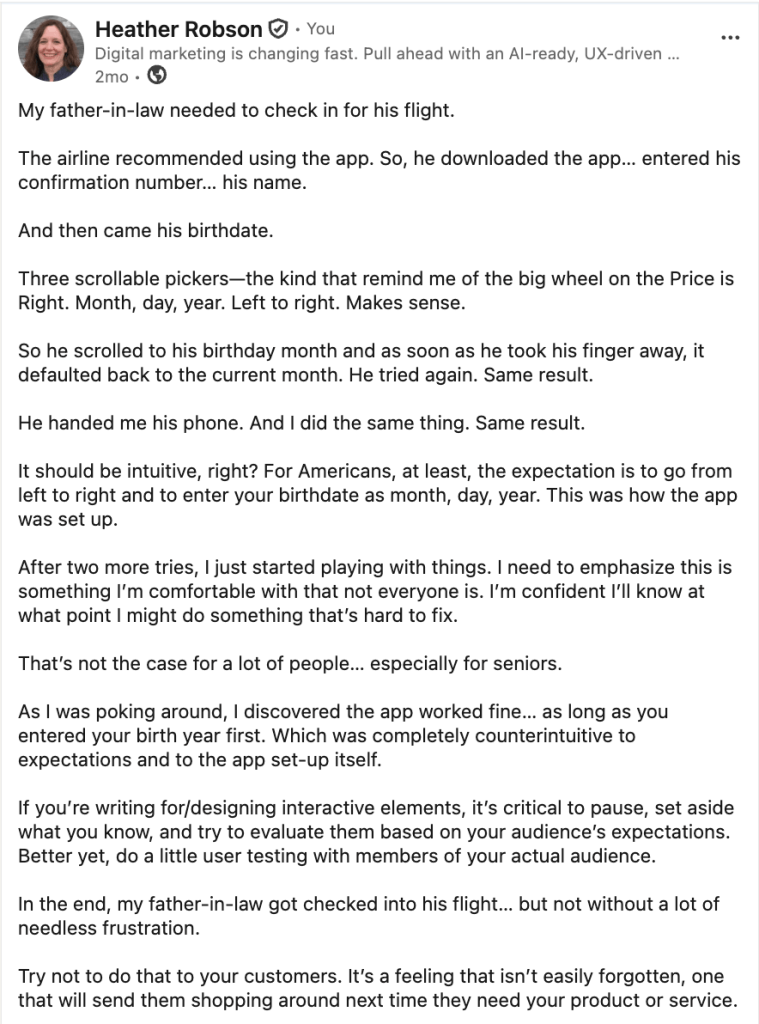
In this post, I share a story, and that leads to a key insight about user experience…
Life Lessons
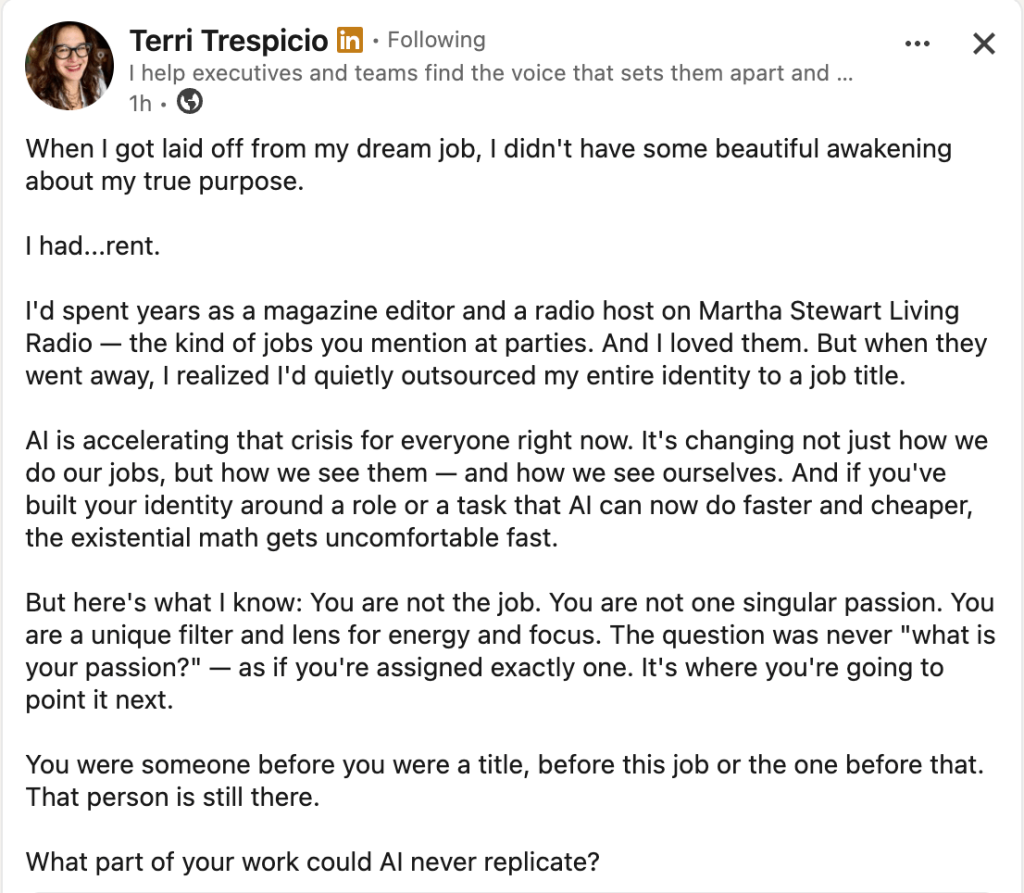
Another type of post that does very well on LinkedIn is sharing a mistake you’ve made or a challenge you’ve overcome or a setback you’ve recovered from… and what you learned from it. Again, the lesson learned should be something actionable and useful to your audience.
This post from Terri Trespicio is a good example…
The Tear-Down or Glow-Up
Think of this as a rant… but as either negative or positive.
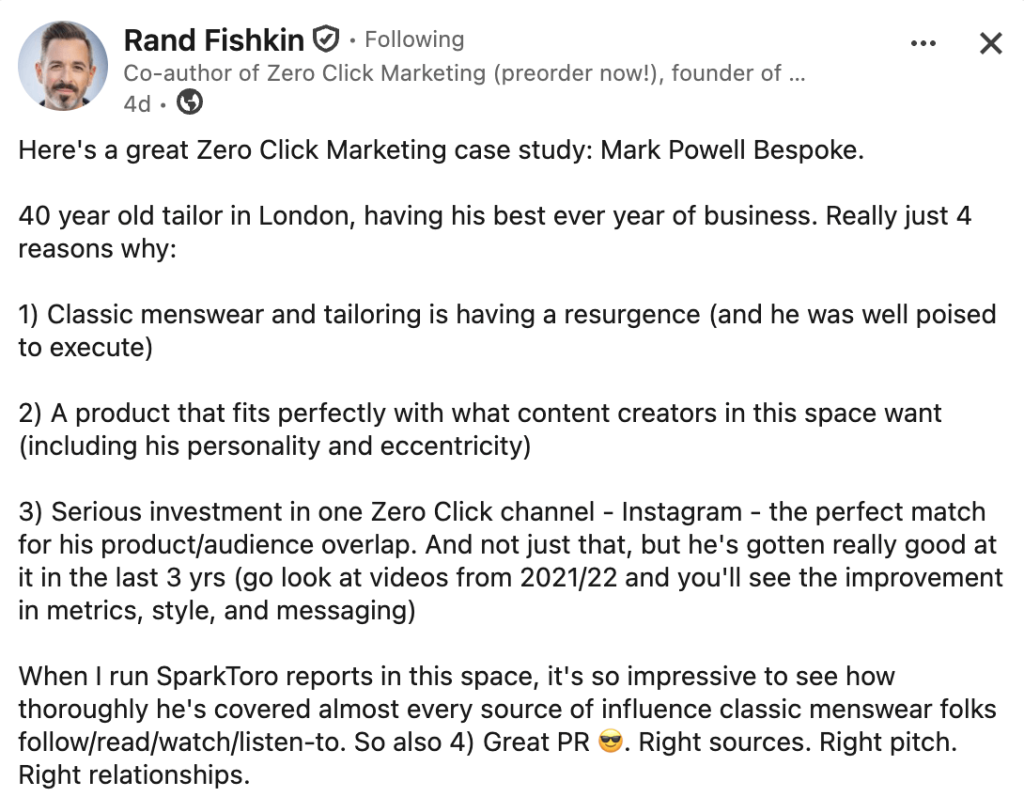
The tear-down is a rant about what a company (or even an entire industry) gets wrong that drives you crazy. The glow-up is a happy rant about what a company got so right that you just can’t help gushing about it.
Here’s Rand Fishkin from SparkToro with an excellent example of a glow-up…
A Quick Walk-Through
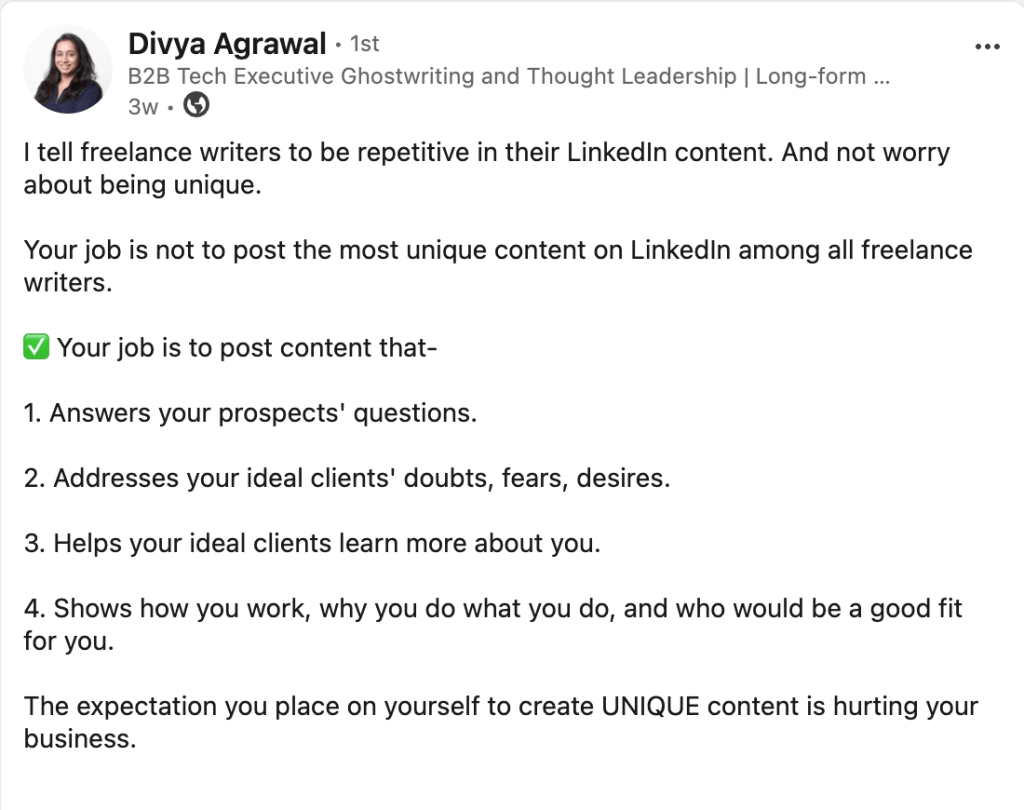
In the quick walk-through, you share the steps your audience can take to achieve a desirable outcome.
This post from Divya Agrawal (a regular contributor here on Digital Copywriter) is a good example…
You can mix and match these “templates” with your topics to come up with a variety of post ideas.
You can (and should!) experiment with your own style and your own approaches.
Keep track of what works. And do more of that.
Now Put It All Together
Based on everything you’ve come up with so far, you have what you need to build an editorial calendar. With that in place, you’ll always have an idea for what to write about next, and you’ll be able to approach LinkedIn with more confidence.
So, let’s go through it step by step. Open a Word or Google document and title it LinkedIn Editorial Calendar.
1. Decide your publishing frequency.
Start with something that feels easy and approachable. Maybe just once a week. Put that at the top of your calendar document.
2. Decide on your basic topics.
Next in your document, put the three main topics you’ll write about most of the time.
3. Make a list of your favorite hooks or templates.
Choose five or six post types you can use for inspiration. Not every post has to fit within these, but they’ll give you a place to start whenever you’re feeling stuck.
4. Add an “idea capture” section.
Next in your document, create a section where you capture ideas. Start noticing the experiences you have from day to day that are interesting or that you can frame to provide an insight that aligns with your three topics.
For example, in my idea capture section, this week I added:
- Good user experience at the taco truck.
- Parade of homes — don’t be afraid to stand out.
- Things change — you can drive the change.
Notice each of these is just a single short line. But it’s enough for me to know what I’m going to write about on that topic.
Add ideas to this document at least once a week — every day is even better. Either way, make capturing ideas part of your routine.
5. Combine ideas with hooks and insights.
Once a week, review the ideas you’ve captured, and choose the hooks that fit. When possible, see if you can come up with more than one hook for an idea. For example, if you have a really good experience making an online purchase, you could use it to write a quick, distilled insight. You could turn it into a story post. And you could make it into a glow-up post.
When you have more than one hook possibility, write a post for each hook.
Write as many posts as you have ideas and hooks for.
6. Plan your posting times.
Once you’ve written your posts, add them to a “Scheduled” section in your document with a date you plan to use them. Or, you have the option on LinkedIn to schedule posts for later, so you can go in and set your post to run when you want it to — up to three months out.
Bonus Tip #1: Consider multimedia options for each post. You could turn a post into a poll, a video, or a carousel. And the same post topic could get extra mileage by being repurposed for each one.
Bonus Tip #2: Every couple of months, review the analytics for your posts. Choose one or two of your top performers, give it a little polish — a new intro, a new image, some editing or reframing — and run it again.
How AI Can Help
I’m not an advocate of having AI write your LinkedIn posts. I think it’s important that your own voice and experiences come through.
That said, there are a number of ways you can use AI to help you keep the ideas flowing.
AI Strategy #1: If you want to make your idea capture go more quickly, and you also want to uncover ideas and connections you may not have noticed, try dictating the highlights of your day and asking AI to review the dictation for LinkedIn post ideas that are connected to your topics.
AI Strategy #2: AI can help you come up with hooks and templates that are well-suited to your writing style and audience. Feed into your AI tool several LinkedIn posts that you like and that have been successful (a couple of dozen, at least) and ask it to identify structural patterns. You can use these as templates for your own posts.
AI Strategy #3: Run your completed posts through AI and ask it to identify strengths and weaknesses. Think carefully through its suggestions. You don’t want to adopt everything, because it will start to take on that sense of sameness associated with AI. But sometimes the tool will point out a gap or missed opportunity you want to capitalize on.
You can also run a handful of your best-performing posts into AI and ask it to identify commonalities between the posts. This can help you identify what’s working best, so you can write more high-performing posts.
Start Your LinkedIn Strategy Today
Breaking down LinkedIn post writing into these simple steps turns it into an easy-to-approach habit. You’ll be able to fill your editorial calendar, write your posts more confidently, and start enjoying the benefits of having a consistent LinkedIn presence.